
RR&Co Computor Control: Discussion
Posted

Full Member
Post any questions arising from "First Steps with RR&Co"
Hi Matt
[user=13]Matt[/user] wrote:
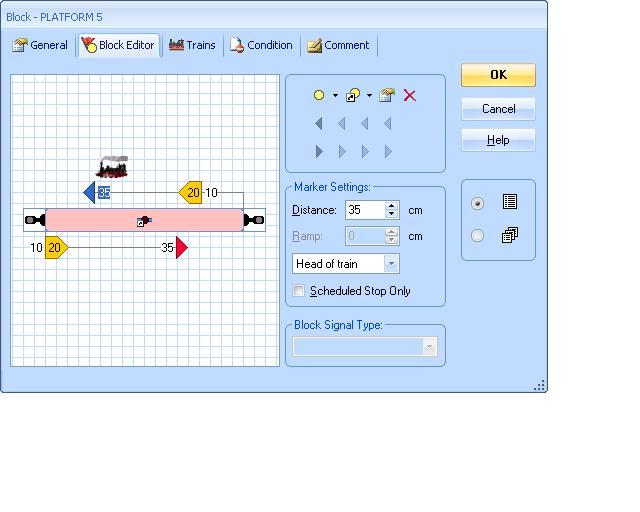
Can you repost the screen shot of the block editor…..press [Alt] [Print Screen] that way we only get the active window…..I cant read the numbers…..mind you that could be old agei done this at work so didn't have the right switchboard so converted my platform 5
i think the simulator thing may be because i am stopping and starting the schedules all the time, this would not happen on the physical layout as trains would have to be moved.
I think that is the case but remember on the physical layout if you physically move a train around you have to be sure to keep the computor updated otherwise TC gets confused
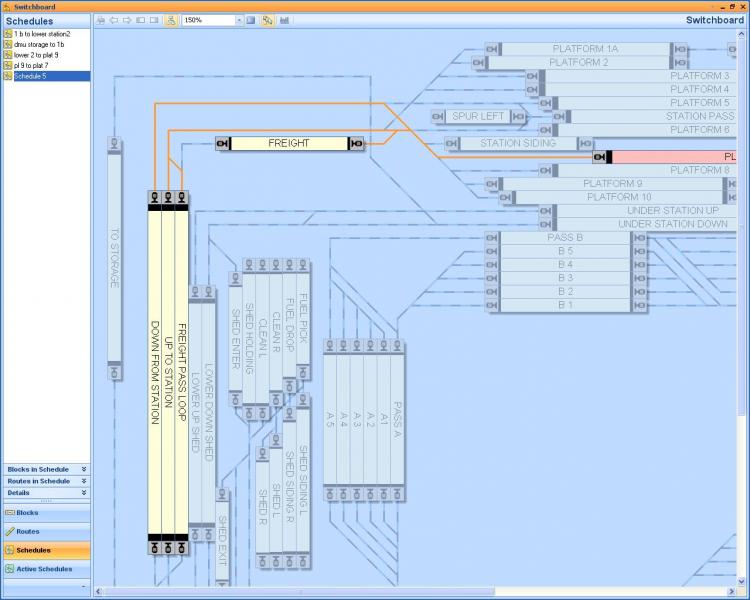
looking at my plan above between blocks pass a and pass b the route is orange, this also happens in the dispatch window. why is this?
On the Switchboard it isnt a route, its the track you laid before you set up the blocks and shouldnt be affected by active schedules etc.You only get routes in the Dispatch Window.
In the dispatch window/block diagram it typically means a selected or active route. Your lines on the switchboard are different colours…..for different levels I assume? Have you tried recolouring the orange lines on the switchboard……………and finally are there any "unexpected results" on the orange coloured track?
Hope this helps
As far as our tutorial layout goes I like your idea of a fiddle yard and I like Geoff's plan for Weston maybe the country route in Geoff's plan could go to a fiddle yard?
Kind Regards


Posted
Guest user
this is the window
and here is the dispatch window. one click on the route will highlight one route another will turn another section bluue then it will all turn orange
this is what i wanted after a lot of clicking and deleting
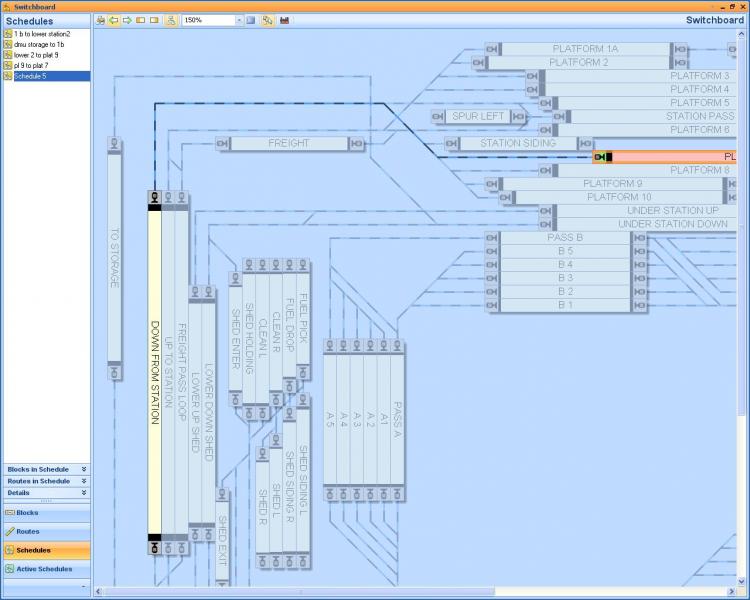
in this example i highlighted the block in pink as the start block and the down from station block as the next block. clicking on the route to the left of the start block changed up to station then another click changed freight pass loop. the next click turned the route orange. this also happens when i click above the down from station block to create a route to the start block,platform 6 will then be highlighted rather than TC choosing a route to the selected block.
i did change the colour on the switchboard for the levels, maybe using that orange was a bad example and me being lazy.
Posted
Guest user
if you click a route above a block (that is highlighted) it will select a possible route from that block and turn the track dark blue. if you click again it will select a second possible route from the block to another destination block. you can continue to click until all routes have been selected, this will then turn the entire routes selected orange:mrgreen: the best way i have now found is select the track next to the exit of the block and click until the block you require is highlighted then delete all other blocks.
a question
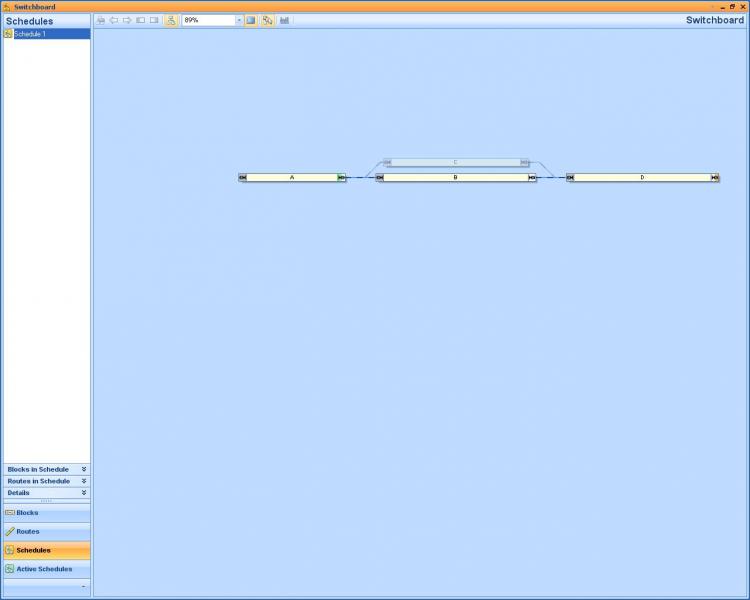
if on a route you have a passing loop or an alternate possible route from block A to D, block B is selected within the schedule but block C has not been selected.
do you have to select all possible routes when setting up a schedule?
if i select in a schedule start block A through block B finish block D, if block B is reserved or occupied by another train will TC use block C to reach block D or wait until block B is vacant as block C was not selected in the schedule.:shock: i hope that makes sense.
ok the next question
what does this selection do?
create schedule selection
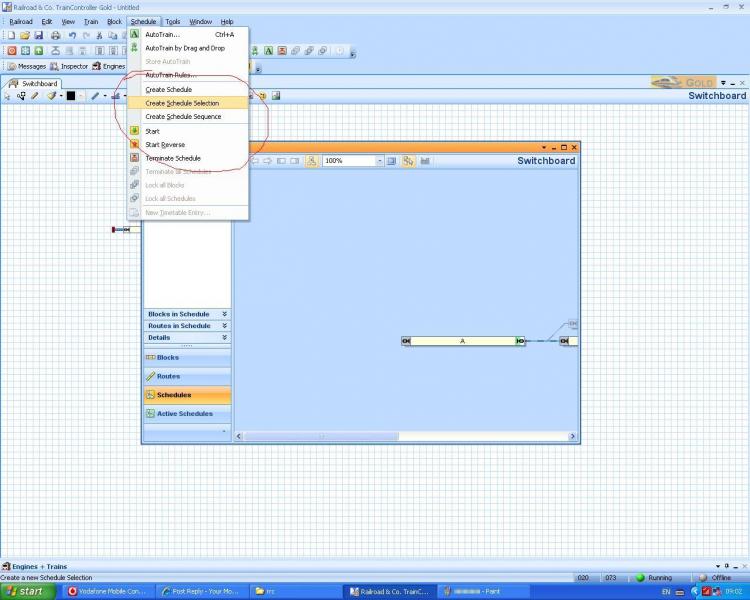
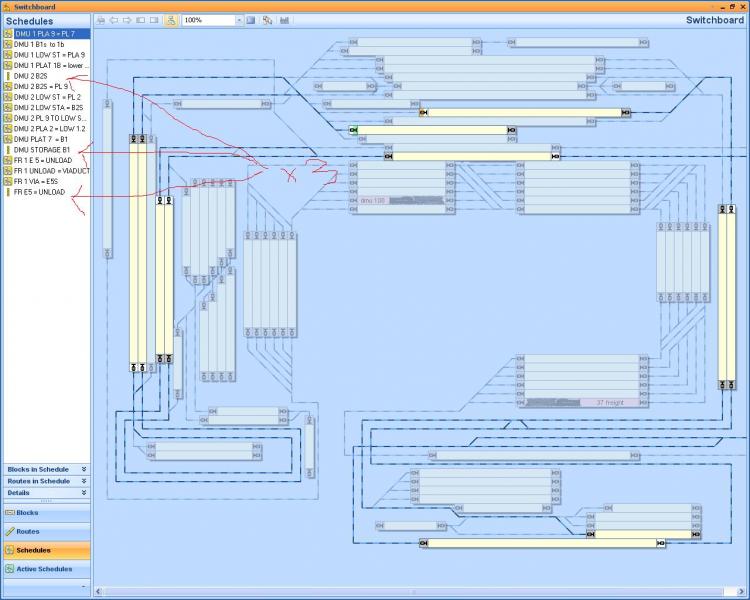
in the dispatch window you have a list of schedules on the left, i have been playing about with 3 trains and already this is becoming cluttered. can you move a completed schedule\sequence from the list? i have created say 5 schedules and put these into a sequence, so now i no longer need the schedules to be visible as they are stored within the sequence icon……….
Posted
Full Member
after playing last night i sussed out the route problem i was having.
if you click a route above a block (that is highlighted) it will select a possible route from that block and turn the track dark blue. if you click again it will select a second possible route from the block to another destination block. you can continue to click until all routes have been selected, this will then turn the entire routes selected orange:mrgreen: the best way i have now found is select the track next to the exit of the block and click until the block you require is highlighted then delete all other blocks.
The icon is quite sensitive you have to be careful that it is located exactly where you want it before you click. I find it easiest to select my start block and then select the next block…..more often than not TC will automatically select the connecting route then when I have selected the destination block I toggle just to see the schedule and make any small corrections
a question
if on a route you have a passing loop or an alternate possible route from block A to D, block B is selected within the schedule but block C has not been selected.
do you have to select all possible routes when setting up a schedule?
if i select in a schedule start block A through block B finish block D, if block B is reserved or occupied by another train will TC use block C to reach block D or wait until block B is vacant as block C was not selected in the schedule.:shock: i hope that makes sense.
If you dont include the passing loop TC will assume you dont want it in the schedule……so you have to include it …..you then insert conditions to ensure that the passing loop is only used when B is occupied
I will cover this in the tutorial in more detail……..you are ahead of yourself again Matt:lol:
Similarly with sequences and selections…….I plan to put our shunting routine into a selection
I dont believe you can hide schedules……you may want to use the individual schedules that comprise a sequence or selection in another selection and more importantly what happens if you want to modify an individual schedule
I try and name my schedules in such a way that TC groups them together
INTERLOCKING
Finally got round to it…..its section 5.1 Page 174 (approx) in the manual. The short answer is that driving with interlocking means you have to have, and control, a train window ( throttle) for each loco you are running. I think the solution for your kids will be a pushbutton that starts 5 locos all running on different schedules
Hope all this helps
Posted
Full Member
Posted
Full Member
http://www.009.cd2.com/digitrax_biggerandbolder3.wmv
Posted
Full Member
John, I think that it is becoming invaluable actually using Silver and Gold side by side as we are doing together. It highlights differences much more readily than can be easily understood from the manual. I have erased my post as you are going to edit yours so as not to confuse anyone. While you are about it, the ability to be able to select Head of Train, Middle or Tail is available in Silver, exactly the same as in Gold.
I agree…….part of the problem is I write about what I can do and then do a quick search in the manual to see if there is a gold line by the side……………….I think in future I will just make sure everyone knows its gold and rely on you to insert a qualification
Regards
Posted
Full Member
I came across this video this evening. It is 5 years old, but still interesting to see a large, complete set up. I am sure this layout has featured in one of the magazines in recent years, but I cannot recall which or when.
http://www.009.cd2.com/digitrax_biggerandbolder3.wmv
It was on one of the forums as well but the one I remember was longer because I remember him demonstrating a turntable but by then he was using a lot of Lenz stuff and your clip came from a Digitrax sequence but I have seen that because the quote about the Four screens "I was feeling extravagant" stuck in my mind!
Regards
Posted

Inactive Member
Max
Port Elderley
Port Elderley
Posted
Full Member
I have just clicked on the link, and it opens just fine, Max. Do you have any kind of internet blocking set up?Is that clip still around, Geoff? My computer can't find it. :oops:
Posted
Inactive Member
Max
Port Elderley
Port Elderley
Posted
Guest user
Posted
Posted
Guest user
I clicked on the link & my browser said - open or save so I am saving the WMV file to my PC so I can watch it at leisure.Is that clip still around, Geoff? My computer can't find it. :oops:
Posted
Full Member
There are lots of follow on issues with this. Even if I could get the schedule to move just the engine, what about the icon in the block. The only one there is the one I made for the complete train. The loco only one is not going to suddenly appear in the next block, and in any case, we have no icon for just the coaches.
Another thing I realise is that in building the train, there is nothing to say at which end of the train the loco is attached. Direction can be set, but not physical location of the engine.
I would have thought Silver should have been able to do this as I think it is the follow on to the original 5.8 version, but maybe such a move had to be done manually? Andy might know.
I have posted a question on the RR&Co site to see if anyone else can shed light on this.
Posted
Full Member
Glad you like the "Shuffle" you introduced me to the phrase…….its great
You got a quick and not very helpful reply on the RR&Co Forum…
Using the simulator and the throttle can you manually drive just the loco into the next block?………….or could you put a condition that only the loco, not the train, works the runaround schedules………………try running it and check the detail messages.
In Silver do you have options in the successor window to specify a new train?
I think we may need to look at specific movements you want to do on your layout and then try and develop some workarounds……..I think one issue will be difficult/impossible will changing locos on a train as opposed to the same loco running round
HTH Let us know how you get on
Posted
Full Member
Anyway, the workaround for runnning an engine around a train, as per the tutorial example is really quite simple. Just carry out all the movements as described with the exception of separating the engine from the train in TC. The fact that the engine actually does get separated is irrelevant. TC thinks that it is still altogether, and thinks it is taking the whole train out of the station block and around the loop, back into the station block again, whereas in reality, only the engine is doing that. The only thing to be careful about is where the "train" stops when it comes back into the station block again, as in reality the coaches are still there, so the loco only train needs to stop short of them. I am sure that must be possible by having a schedule specific stop action.
I am dissappointed really, as whilst I can see that Gold should provide many extras for the additional cost, I would have thought that a basic engine run around routine was just that - basic. Never mind, we must continue forward and learn more about this amazing piece of software.
I will try to complete the entire set of schedules for this movement in Silver, now that I think I have come up with how to make it work.
Posted
Full Member
The condition is for the schedule…….ie in the successor tab you stipulate new train and then in the "Uncouple" Schedule you specify the loco as a condition……….I wondered if that might get the loco alone into the next block
Moving the whole train is fine…….I have been doing it for my pick up goods shunt where I start with 5 and finish with a different 5……TC doesnt know and I found it quicker
However we will run into trouble when we change locos at the Weston Terminus
I am sorry that having incorrectly spotted Gold Variations earlier I didnt pick this one up.
From the get go this routine is what I wanted from TC……..I did all my initial research with 5.5 and 5.8 but not with the simulator and was blissfully unaware of the limitations. It helps to explain why my help requests met such a limited response.
We should take short pause while you resolve this and then determine the next steps on the layout…….maybe running a number of trains out of Weston?
Regards
Posted
Full Member

The Contact Indicator 05/37 is the one for Eastham Home!!! It is no wonder that the train passing could not be determined - it is a phantom. I have tried this several times and it does the same each time. I can actually see the Eastham Home block flash pink to show it temporarily occupied. I wondered if somehow the train in Eastham station was jerking backwards to Eastham Home, hence the addition of the Forward action in the List.
One worry is that I did manage to crash the whole application while testing the individual schedules. I was invited to send a report file to Freiwald, just like a Microsoft crash, but I did not. I ploughed on. Hopefully nothing is now corrupted in the file - I don't really want to start again.
If I leave the succession link out of the end of the first schedule, and just start the uncouple manually, this is what correctly happens:-

Posted
Full Member
It is very rare for TC to crash…..maybe TTG can comment…..its only happened once with me when TC lost "sight " of the train and it went running on to oblivion and I had to quickly physically take it off the tracks…….this was also when I was checking an uncoupling routine and trying to force a loco into a block occupied with a second loco and carriages. The terminus loco exchange routine
I sent the error message and Herr Freiwald (unlike Microsoft) replied almost immediately and asked to see my files. We were already communicating on the Forum about the issue and decided it was a one off.
So in summary I wouldnt worry about it.
1 guest and 0 members have just viewed this.