
Points of Perspective
Posted
Guest user
How do we get the view "right"?
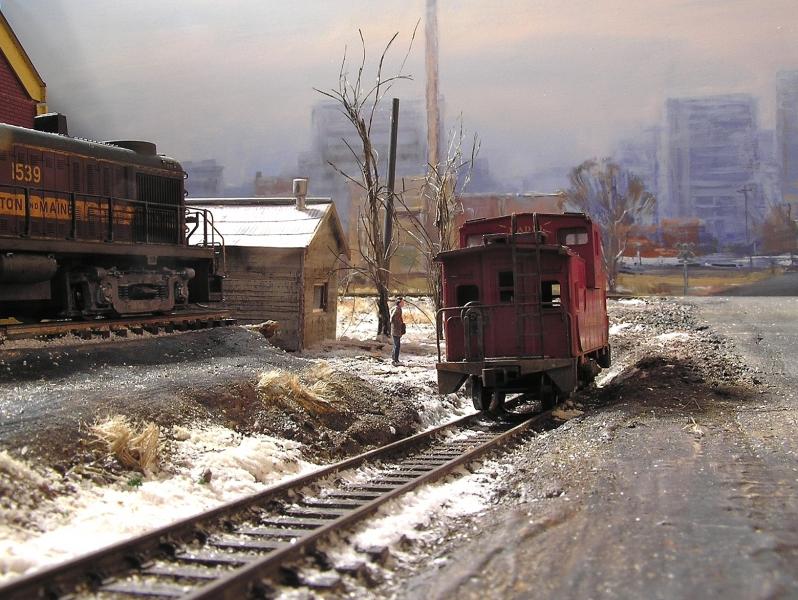
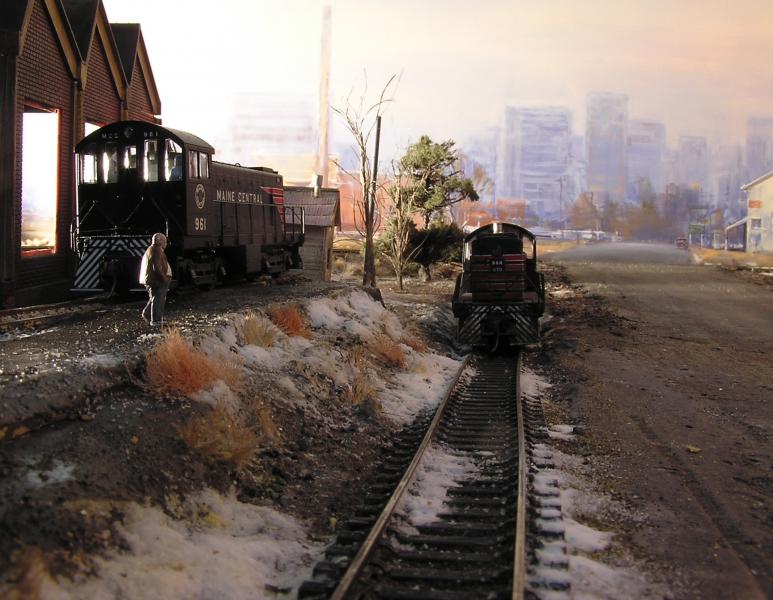
At the moment I just have a plain sky backscene.At the "station road" end how ever I tried an idea I picked up from an American model rail road web site.
This is what I ended up with…

The section of road beyond the tree line is actually part of the back scene.
I Have had a few favourable comments at shows and Craig Tiley was impressed when he did the photo shoot for model rail.
In fact his picture of the same veiw is much better than mine! (Not surprisingly!)
However I can't publish his pictures here just yet until the layout has appeared in the magazine, as Model rail hold the copyright.

Posted
Guest user
Posted
Guest user
Got it wrong here, forgetting to aim one of the lights at the backscene
a bit better here
Posted
Full Member
a bit better here
"OMG" - I think is the younger generation phrase! Where is the join?
I think you are cheating here, Mike. You haven't used a backscene at all. Just more wonderful models in the distance to go with the wonderful ones in the foreground!
 Last edit: by Geoff R

Posted
Guest user

and I wonder if a change of lighting would be all that's needed - more light on the subject, perhaps. It'd be fun to experiment.
I can't help thinking that since this is a high part of the layout, the landscape beyond shouldn't look quite as high as it does. I wonder if lowering the whole backscene by about 2" would do the trick. Dunno. It's far from being a disaster, though, and from front-on it looks good.
There seems to be a sheen on the print - or at least the camera angle suggests it, but every backscene ever produced can be made to look inadequate through unflattering camera angles.
However, this is a terrific scene, and great angle for the model, so I'd be experimenting with the lighting before anything else. I'd love to see how it would look when lit from the right side.
Mike
Posted
Guest user
Clever idea - I think it works well in a small scene like this - perhaps a shot through a bridge - something like that.
I did such a scene quite some time ago (on the original version of The Western Valley railway). This is it:-
The component parts - a low relief bridge, a curved piece of 1mm Plasticard and a suitable photo

Put together with some low relief buildings

and a suitable piece of backscene behind
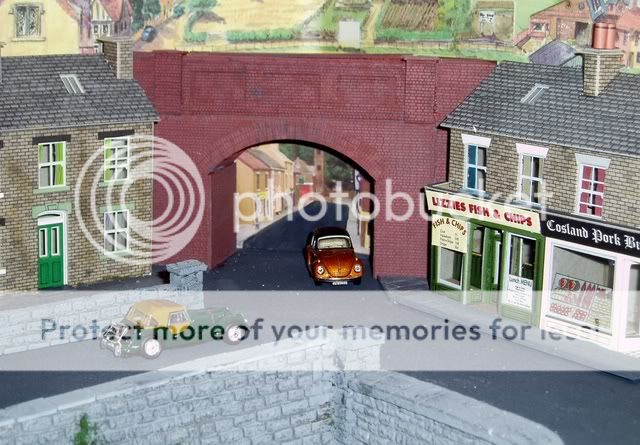
This goes some way to solving a problem corner, but doesn't provide the answer for the rest of the backscene.
A montage of several layers, backscene clouds, then building fronts on card, then low relief buildings, then full buildings, will help, but there is no full answer to creating a 2-D image that will look correct from all angles.
The "narrow strip" in front of the backscene is also useful, but I guess that the best we can do is use a variety of these ideas in combination to make things as good as we can get them then accept that it will never be perfect.
Posted

Full Member
You cant really say your first example is wrong as there is always that little problem of clouds! By that I mean one area might be in the sun while an area further away might be shaded by clouds.
The one vanishing point thing only applies to things that are parralel. If you introduce different angles you can go some way towards confusing the viewer. Another thing to consider is perspective doesnt scale. If you have a perfect rendition of a scene at 1;76 scale any locos in front of it wont match the perspective.
Think of it like this. If you had a real class 50 and you placed a model one next to it at exactly the same angle, the lines of both will converge at the same place on the horizon. Which in model terms will be 76.2 times further away relatively speaking.
One trick you could try, if you had the space is to borrow the idea of cells from animation. Maybe having 2 or three layers of backscene that overlap each other. Thus the buildings on the backscene will appear to move, relative to each other as the viewer moves.
Cheers
Jim
Jim Smith-Wright
Rule 1 - Model what you really see and not what you think you know!
www.p4newstreet.com
Rule 1 - Model what you really see and not what you think you know!
www.p4newstreet.com
Posted
Guest user
Now I like the sound of that! Great idea. And I do have room along one side of the layout. Thanks Jim!
Mike
Posted

Full Member
Posted
Guest user
One trick you could try, if you had the space is to borrow the idea of cells from animation. Maybe having 2 or three layers of backscene that overlap each other. Thus the buildings on the backscene will appear to move, relative to each other as the viewer moves.
Cheers
Jim
Jim, how much space between each layer would you recommend?
Posted
Guest user
Would you like some? If so send me a private message and we can sort something out.Never mind the backscene, I love the point lever in this shot

Perhaps you could do a "how to" in a seperate thread? Or alternatively, just send me 20 of them!
Posted
Full Member
TBH I dont know - I suspect it wouldnt be as much as you might think.
My own idea for a backscene is somewhat unusual. Being an extra 4ft deep of city on a rising hill (just like the real place!)
Cheers
Jim
Jim Smith-Wright
Rule 1 - Model what you really see and not what you think you know!
www.p4newstreet.com
Rule 1 - Model what you really see and not what you think you know!
www.p4newstreet.com
1 guest and 0 members have just viewed this.