
Pictures for Streetscapes
Posted
Full Member
Request for material from Members
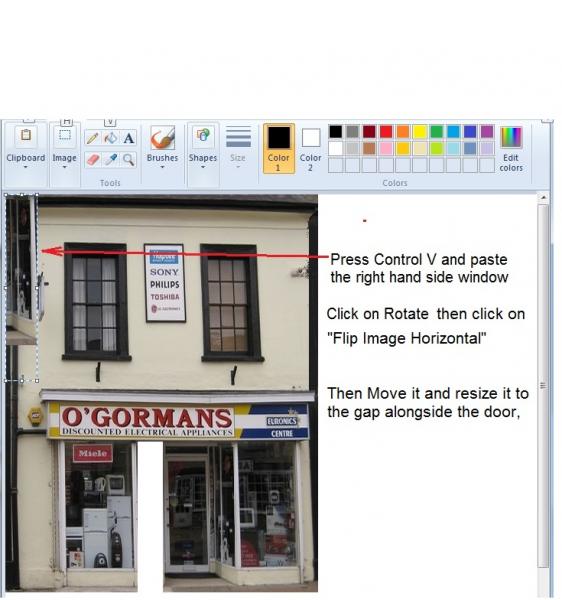


Posted
Full Member

Hope that helps a few people on the forum …
Cheers
Trevor
Posted

Inactive Member
Thanks for that……well explained….clear and concise.:thumbs:thumbs:thumbs:thumbs
:cheers Gormo
"Anyone who claims to have never made a mistake, never made anything!!"
https://sites.google.com/site/greatchesterfordmodelrailway/home
https://sites.google.com/site/greatchesterfordmodelrailway/home
Posted
Inactive Member
I took some tips from Trevor and fixed up poor old O`Gormans Electrical.
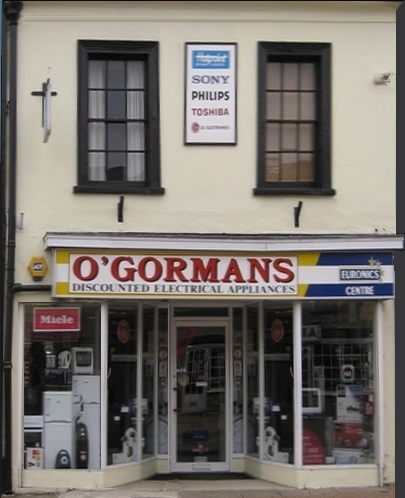
Thanks Trevor
:cheers Gormo
"Anyone who claims to have never made a mistake, never made anything!!"
https://sites.google.com/site/greatchesterfordmodelrailway/home
https://sites.google.com/site/greatchesterfordmodelrailway/home
Posted
Full Member
This will be the most rerun picture in history if we keep going!!!
Regards
Trevor

Posted
Inactive Member
Nah!!…..that`s fine mate…no worries……I`ll just have to slip it into a background now before we wear it out

:cheers and Happy Fathers Day to all the Dads on the forum
Gormo
"Anyone who claims to have never made a mistake, never made anything!!"
https://sites.google.com/site/greatchesterfordmodelrailway/home
https://sites.google.com/site/greatchesterfordmodelrailway/home
Posted
Inactive Member
Here`s my first proper background using material supplied by Bittern and XDFord. I`m rather chuffed with how this looks, even in a temporary position on my layout.
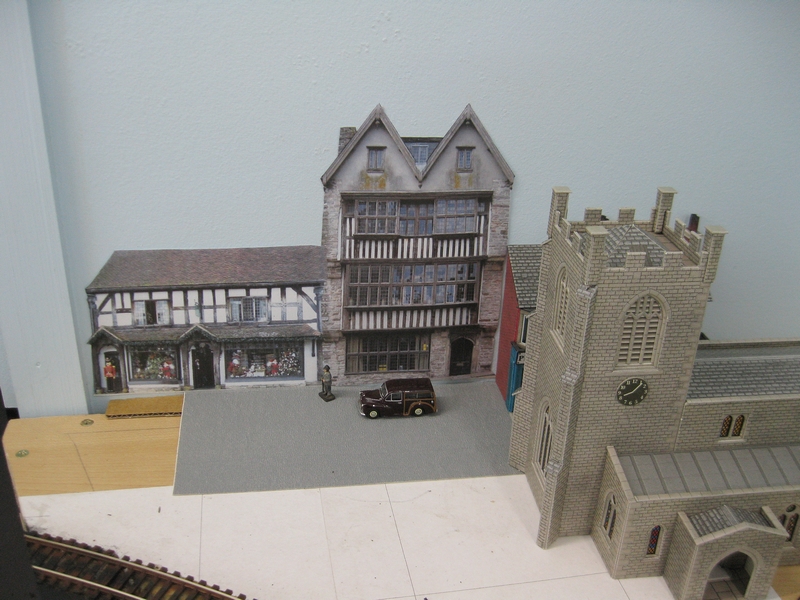
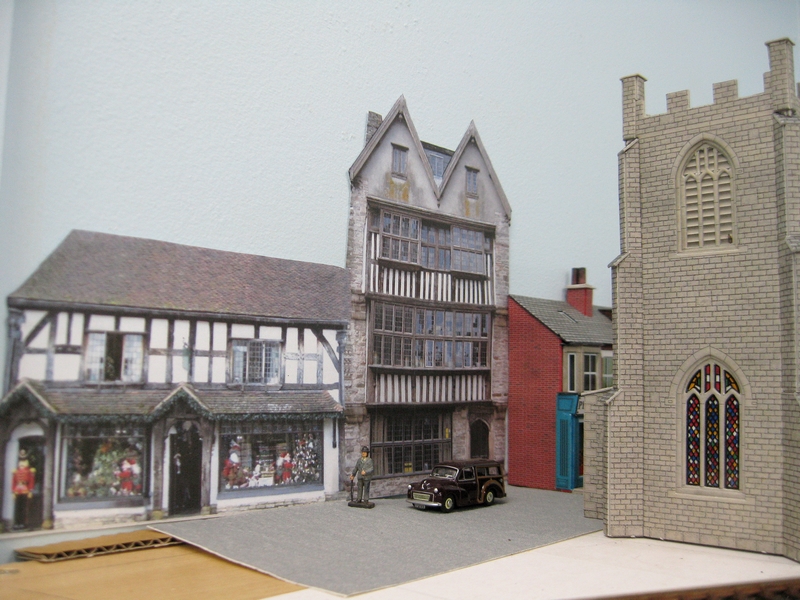
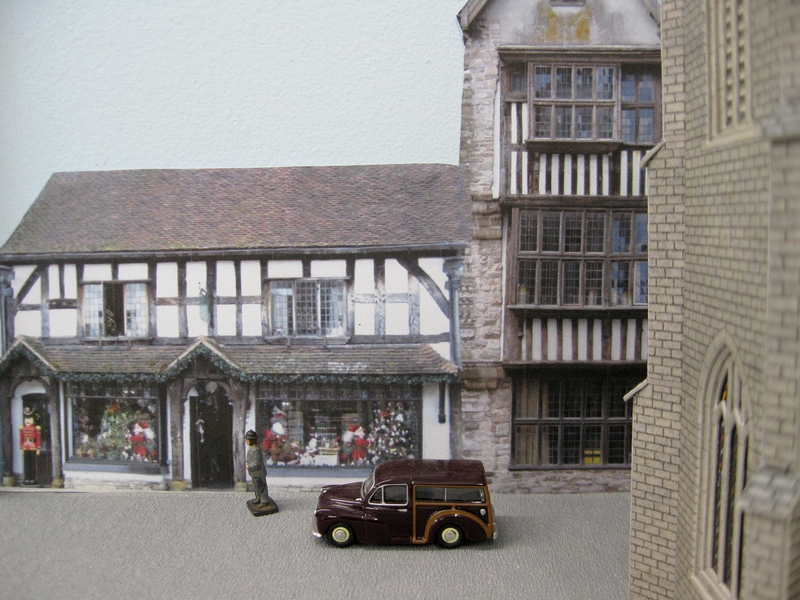

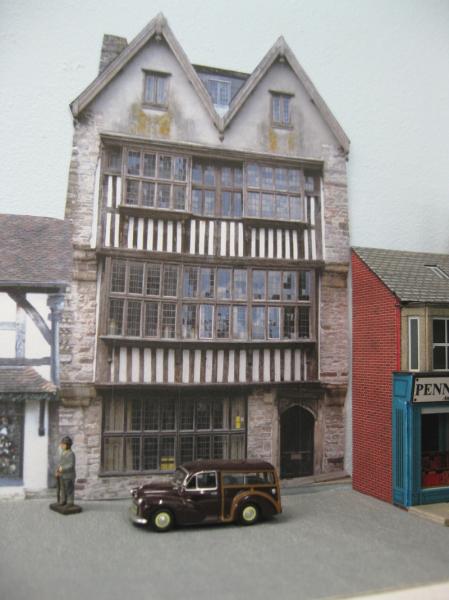
I have also put the background on my Drop Box if anyone would like to use it.
https://www.dropbox.com/s/aoqje3b0rl50huz/Medieval%20Buildings.jpg?dl=0
Many thanks gentlemen
:cheers Gormo
"Anyone who claims to have never made a mistake, never made anything!!"
https://sites.google.com/site/greatchesterfordmodelrailway/home
https://sites.google.com/site/greatchesterfordmodelrailway/home
Posted
Inactive Member
Ken.
'It don't mean a thing if it ain't got that Swing'
Posted
Inactive Member
Ken
[user=374]xdford[/user] wrote:
Hope that helps a few people on the forum …
Cheers
Trevor
'It don't mean a thing if it ain't got that Swing'
Posted
Full Member
Always try to look on the bright side of life!
Barney
Barney
Posted
Full Member
Someone else can double check this for me but if you click on the select area, you will see a "transform" aspect which will then allow you to rotate. You do not need those tools to reduce the respective width of a section,
If you are unsure, try the help section of the Program (F1 key) and try rotation and/or transform
Hope that helps
Trevor
Posted
Inactive Member
I`m really happy with how it`s turning out……but it`s down to the material you`ve got to work with and for that I am grateful for the help received from Bittern & XDFord.
The thing is too……this background is just printed onto plain everyday bog standard A4 paper and held up by Blue Tac. The best is yet to come I hope.
Ken.…I can recommend Photofiltre for some of the tasks you wish perform. I am running two versions 6.5.1 and 7.1.2. I am more comfortable with the older version. The newer version has some extra functions which are good as well, so I switch between the two to give me the best of both worlds. There is a bit of a learning curve involved, but they are fairly intuitive once you learn your way around them. I will place the download links below for you if you want to try them.
Older version http://photofiltre.free.fr/frames_en.htm Click on downloads
Newest version http://www.photofiltre-studio.com/pf7-en.htm Click on Photofiltre 7.1.2
:cheers Gormo
 Last edit: by gormo
"Anyone who claims to have never made a mistake, never made anything!!"
https://sites.google.com/site/greatchesterfordmodelrailway/home
https://sites.google.com/site/greatchesterfordmodelrailway/home
Posted
Guest user
Cheers
Matt
Posted
Inactive Member
I`m looking forward to seeing what you come up with on your photo shoot and I`m glad you like the backscene. My wife was impressed too…..and that takes some doing I can tell you!!
Any way here`s another compilation…….it`s a real mixture this time but I think it will do.
Full resolution copy from
https://www.dropbox.com/s/81jueb7ilgk85hx/Gormans%20ElectricalStcape.jpg?dl=0
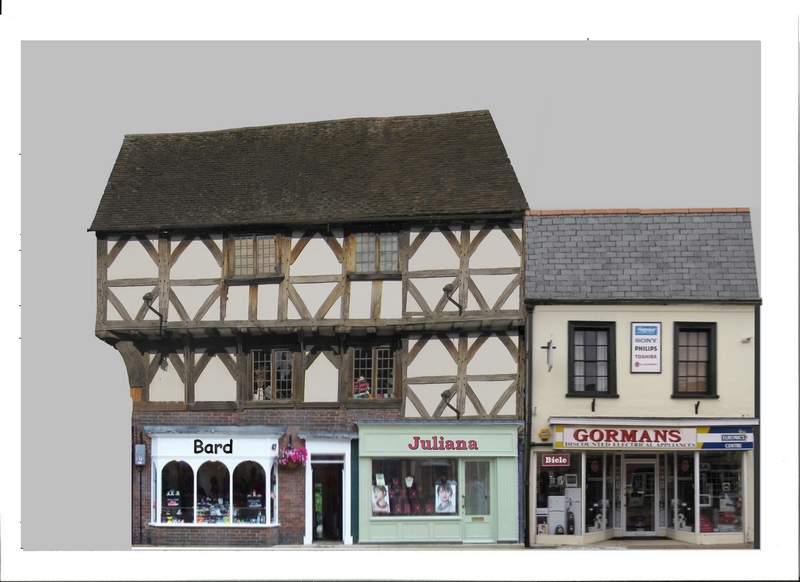
Cheers and goodnight all
Gormo
"Anyone who claims to have never made a mistake, never made anything!!"
https://sites.google.com/site/greatchesterfordmodelrailway/home
https://sites.google.com/site/greatchesterfordmodelrailway/home
Posted
Full Member
Thanks for that Trevor but my XP version of Paint doesn't have that long top bar with Crop/Resize/Rotate etc., etc so I can't do it! I've searched for an updated download but no luck I'm afraid.
Ken
Ken, I did a check for the rotate etc for XP and there is a fuller shaped manual I found in http://www.reading.ac.uk/web/files/www_File_Library/A_Guide_to_Microsoft_Paint_(XP).pdf . In essence read the article from around Page 12 after you have selected the area and click on "Image" otherwise the controls are simiar and you should be able to replicate most of the things I have done, Regards Trevor
Posted
Inactive Member
Ken.
'It don't mean a thing if it ain't got that Swing'
Posted
Inactive Member
Here`s the latest…I`ve put my brother in law into the real estate business. Actually he`d be good at it.!!

Full resolution copy at
https://www.dropbox.com/sh/0ohh19ydcgfg48m/AAAzzTKchsOlDKEwSjMDoR4Ja?dl=0
Click on the image you want. When it opens in the Black screen, click the three dots ( … ) in the bottom right hand corner. Click on Download in the menu that opens.
I also thought I would do a panorama to show how these things can go together.
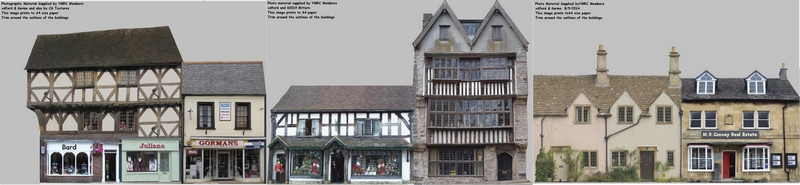
You can reverse any of these individual scenes by flipping them horizontally. But first you should copy all the signs and save them temporarily. Once you`ve reversed the image, copy and paste the signs back into their positions.
:cheers Gormo
Last edit: by gormo
"Anyone who claims to have never made a mistake, never made anything!!"
https://sites.google.com/site/greatchesterfordmodelrailway/home
https://sites.google.com/site/greatchesterfordmodelrailway/home
Posted

Full Member
[nitpick] On downloading "Gorman's Electrical" by my measurement of the door on "Juliana" if it's 4mm it scales not far short of 8' high which seems a bit large to me, I usually reckon doors at between 6'6" and 7' high.[/nitpick]
Last edit: by Dorsetmike
Cheers MIKE
I'm like my avatar - a local ruin!
I'm like my avatar - a local ruin!
Posted
Inactive Member
I have not printed that one yet…..so didn`t pick up on that.
I may have to find a better way of adjusting these doors to the correct height. I`ll sleep on that one.
:cheers Gormo
"Anyone who claims to have never made a mistake, never made anything!!"
https://sites.google.com/site/greatchesterfordmodelrailway/home
https://sites.google.com/site/greatchesterfordmodelrailway/home
Posted

Full Member
All this computer manipulation is beyond my current one-finger typing but it's certainly something to keep in mind for future learnings ……….
Just a very minor point - I'm assuming from the buildings that this is a UK setting in which case, your BIL, Mr Conway, would be an "Estate Agent" and not "Real Estate" - that's just a tad too American/Australian for tender British minds - particularly in that era. :roll::roll::roll:
'Petermac
1 guest and 0 members have just viewed this.