
Pictures for Streetscapes
Posted

Full Member
Request for material from Members
With your drop box full of music, you must be rockin`& rollin` wherever you go. :thumbs
Nowt so common, a mixture of Baroque period classical and Big Band Swing and Jazz (Trad and Modern up to about 1980, none of the more recent tuneless cacophony cr@p like Sun Ra etc)
Cheers MIKE
I'm like my avatar - a local ruin!
I'm like my avatar - a local ruin!


Posted

Full Member
I have over 5gb free from dropbox, and I also use Google Docs and MS Onedrive (skydrive) so have loads of free cloud storage available.
Cheers
Andy
Andy
Posted
Full Member
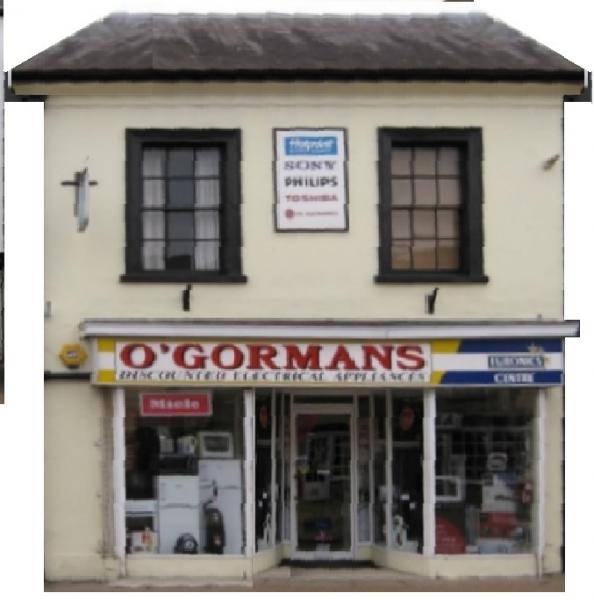
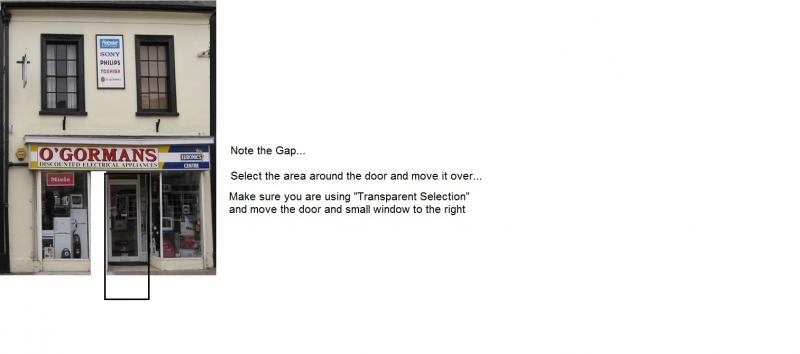
This is a very crude go from your posting at straightening the perspective simply using Paint. The door and right hand window in the entry was narrowed and the right hand window copied, reversed and positioned in the block left open… out of interest, how far away is your "view"?
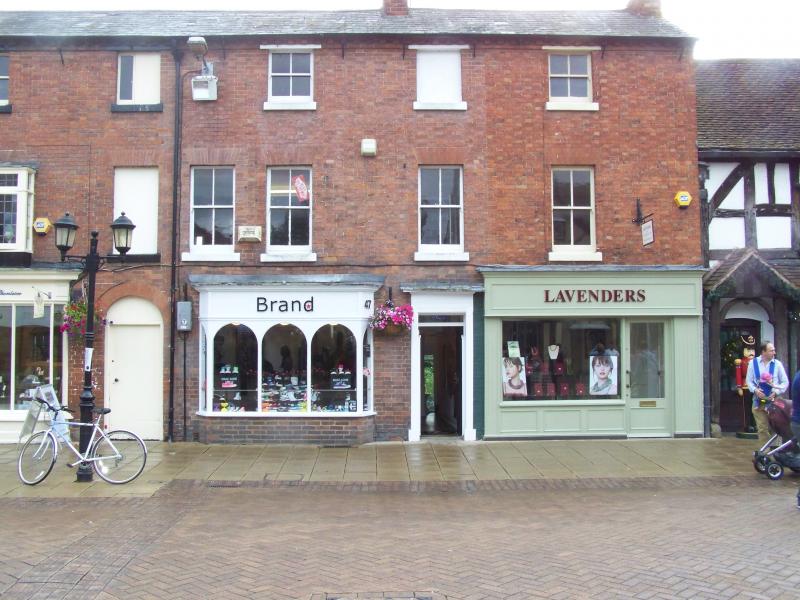
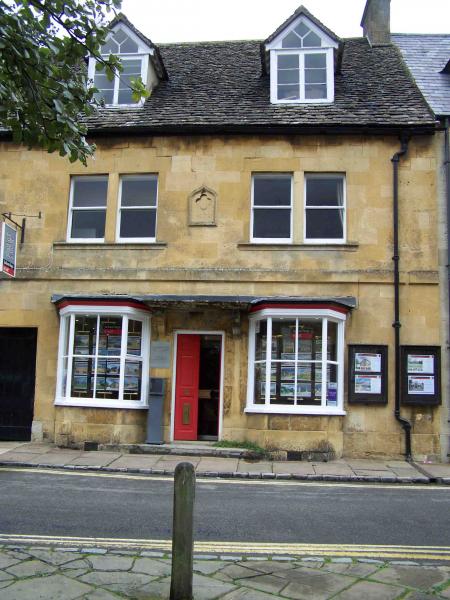
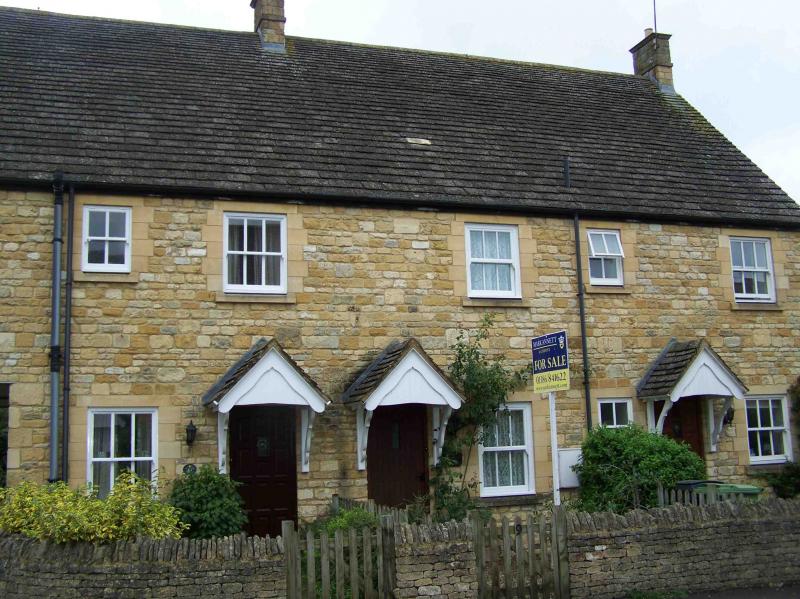
Now we need a collection of these and I have a number I took in England 4 years ago but I need to find them…
Hope the idea helps you,
Regards
Trevor
Posted

Inactive Member
Thanks folks for the input so far. I didn`t have a clue about drop boxes until Andy tipped me off yesterday and also Trevor`s correction of a low res image is pretty good, considering he didn`t have much to work with.
Now you see folks….I had completely written off Paint as a useful photo tool and now Trevor shows us what can be done……excellent!!!
Trevor ….do you mean how far away was I when I took that photo or do you mean how far away is my background view on the railway????. At the moment I`m doing buildings on the backgrounds to the same scale as my Metcalfes ( 1/76th) but as I get more adept at it I might try reducing them to give the illusion of distance.
The photograph you corrected was taken from across the street in Bicester (2010)…..maybe 60 to 80 feet or 20 to 27 metres???
I would be interested to see your photos and possibly use some if that`s OK.
:cheers Gormo
 Last edit: by gormo
"Anyone who claims to have never made a mistake, never made anything!!"
https://sites.google.com/site/greatchesterfordmodelrailway/home
https://sites.google.com/site/greatchesterfordmodelrailway/home
Posted
Full Member
Cheers
 Trevor
Posted
Full Member
Posted
Full Member
Posted
Full Member
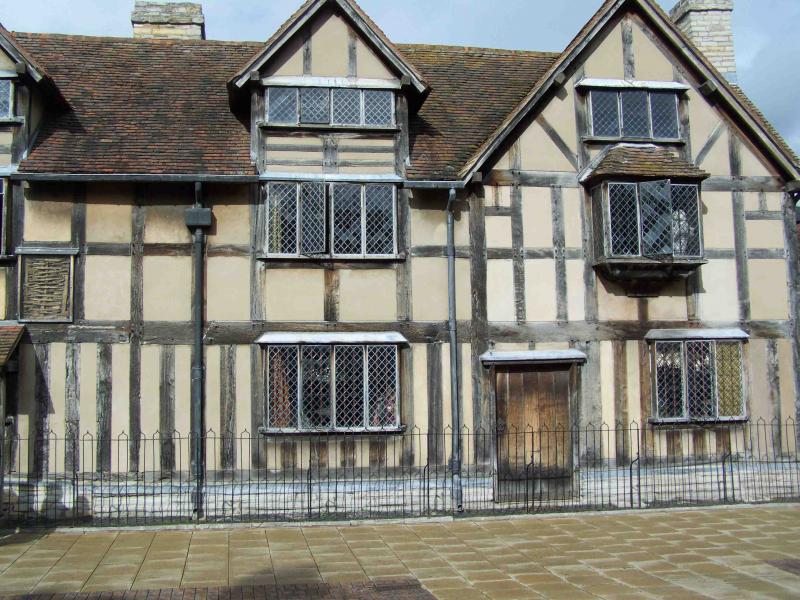
Gormo you are quite welcome to use these Cheers Trevor
Posted
Full Member
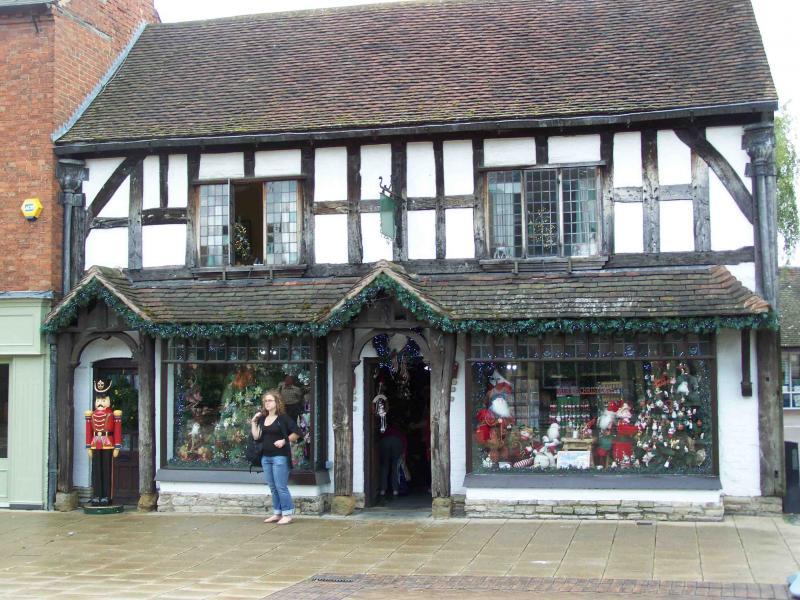
Posted
Inactive Member
That`s great……I`ll be in touch…….time for bed for the Gormster.
I just quickly pasted one of your pics without any mods into a backscene and it looks pretty good
What do you reckon?
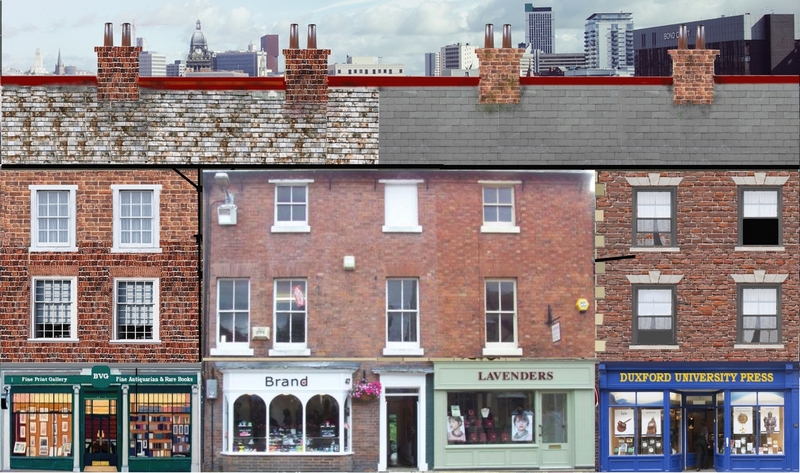
Goodnight
Gormo
"Anyone who claims to have never made a mistake, never made anything!!"
https://sites.google.com/site/greatchesterfordmodelrailway/home
https://sites.google.com/site/greatchesterfordmodelrailway/home
Posted
Full Member
Just to show how the image can be further manipulated ( without trying to play a game of "Can You Top This?"). This was purely using Paint and I transplanted the windows but changed the bricks around and added quoins to the corners,
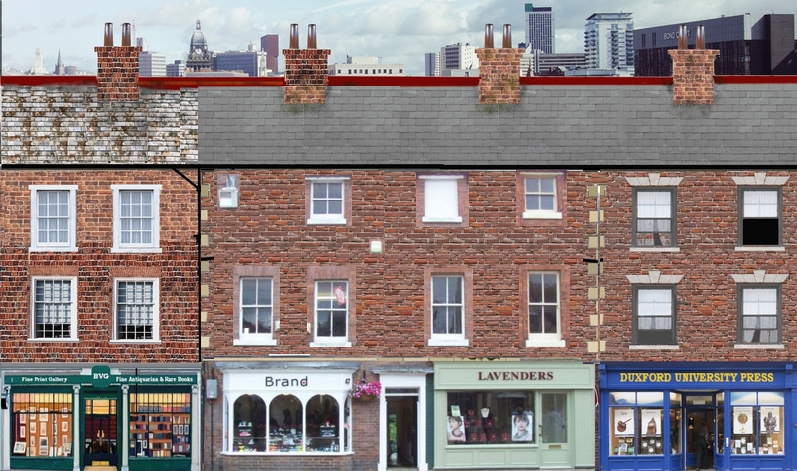
Out of interest, what is the backdrop you are using? Is it public domain?
Hope this is of help that the majority of us can use Paint or some such cheap program and get good results
Cheers
Trevor
Last edit: by xdford
Posted
Inactive Member
Good job there on the background. Yes I agree ,we can get good results with low cost or free software. I am running XP and my version of Paint really does not have the functionality I am looking for. Either that or I`m just hopeless at using it???
I am using Photofiltre. A free program with good tools. Trouble is the new version has more bells and whistles but it has lost a couple of useful functions that the old version had. So I use a combination of the two.
For example….I did this in the new version….the old version would struggle a bit with this. I could keep working on it and sort it out properly as you have done with Paint and I probably will

:cheers Gormo
"Anyone who claims to have never made a mistake, never made anything!!"
https://sites.google.com/site/greatchesterfordmodelrailway/home
https://sites.google.com/site/greatchesterfordmodelrailway/home
Posted
Inactive Member
Hi Gormo
Just to show how the image can be further manipulated ( without trying to play a game of "Can You Top This?"). This was purely using Paint and I transplanted the windows but changed the bricks around and added quoins to the corners,
Trevor, can you give a basic "how to do it" with Paint? What you've done is very good but I wouldn't have a clue where to start!
Ken
'It don't mean a thing if it ain't got that Swing'
Posted
Full Member
Give it a few minutes and the tutorial will start to appear if SWMO doesn't call me for tea first!
Cheers
Trevor
Posted
Site staff

If your still using (risky) Windows XP, you could try GIMP, if you haven't already.
GIMP - GNU Image Manipulation Program
Ed
Posted
Full Member
Have a look at the menu. I like to have a large working area so that I can put stuff on the blank parts of the document
Copy and paste the original into Paint like below
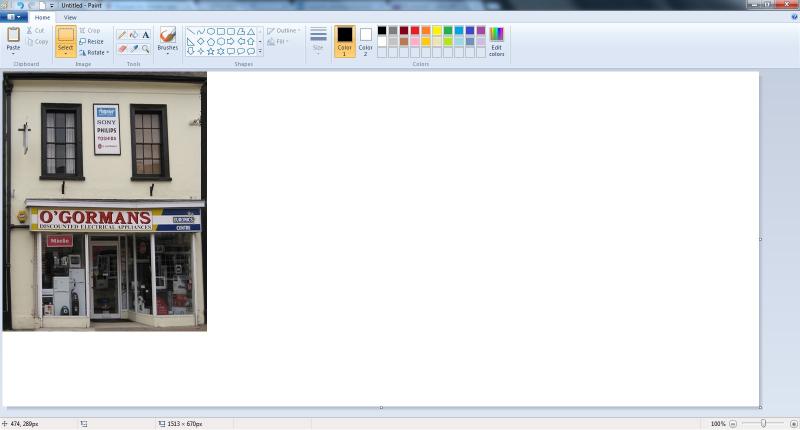
Note the "Select" Tool about an inch (25mm) from the left hand side in the top menu as well as the ""Rotate" button alongside it.
Posted
Full Member

Posted
Full Member

Posted
Full Member
Posted
Inactive Member
Yes I`ve tried GIMP……it tested my patience and I chucked it….maybe I should try again???
:cheers Gormo
"Anyone who claims to have never made a mistake, never made anything!!"
https://sites.google.com/site/greatchesterfordmodelrailway/home
https://sites.google.com/site/greatchesterfordmodelrailway/home
1 guest and 0 members have just viewed this.